
FFmpeg for Content Creators: What It Is and Why It Matters
If you create video content regularly, you eventually hit technical limits that creativity alone cannot fix. FFmpeg for content creators exists to solve those problems quietly. From failed uploads to massive file sizes and endless format requirements, FFmpeg handles the technical side of video so your workflow keeps moving as your output scales.
- A video refuses to upload for no obvious reason
- A platform spits out a vague “unsupported format” error
- You shoot in 4K, but your hard drive’s on life support
- You need the same video in three different formats. Again.
At first, most people just brute-force their way through it with editing software. But as your workload grows, that “quick fix” gets old real fast. That’s where FFmpeg quietly steps in to save your sanity.
TL;DR — What Is FFmpeg?
- FFmpeg is a media processing tool, not an editor
- It handles technical tasks like conversion, compression, trimming, and resizing
- It’s fast, reliable, and used behind the scenes in many popular tools
- It’s not creative or AI-powered, just efficient
- You might not need it now, but if you’re scaling, it’s a game-changer
What Exactly Is FFmpeg
In plain English, FFmpeg is software that reads, rewrites, and converts video and audio files with precision.
Imagine it as a world-class translator for media files. It speaks nearly every audio and video format out there and knows exactly how to convert between them without wrecking quality.
Unlike video editors, it doesn’t show you a timeline or fancy previews. Instead, it works directly with the data inside your files: fast, clean, and under the hood.
You’re Probably Already Using FFmpeg
Even if you’ve never heard of it, chances are you’ve already used FFmpeg indirectly. It powers many tools such as:
- HandBrake (video compression)
- OBS Studio (screen recording and streaming)
- VLC Media Player
- Automation tools and batch converters
When something “just works” in the background, that’s often FFmpeg doing its job.
What FFmpeg Isn’t (And Why That Matters)
Let’s be clear about what FFmpeg does not do:
- It’s not a video editor
- It doesn’t help with creative decisions
- It’s not AI
- It won’t improve your storytelling or pick your best shots
And that’s exactly why it’s powerful. It takes care of the repetitive, boring, technical stuff so you can stay focused on what matters creatively.
A Simple Way to Think About FFmpeg
Picture your video file like a shipping box.
Inside the box:
- Video data
- Audio data
- Instructions on how to play them
Different platforms prefer different boxes. Some are smaller, some are labeled differently, and some are packed more efficiently. FFmpeg doesn’t change what’s in the box creatively. It changes:
- How the box is labeled
- How tightly it’s packed
- What format it’s wrapped in
It’s a tool for organizing and optimizing media, not decorating it.
The Real Problems FFmpeg Solves for Creators
FFmpeg starts becoming useful when video creation becomes consistent or high-volume. Here’s where it really shines:
✅ 1. Video Conversion and Upload Compatibility
YouTube, Instagram, TikTok, Vimeo – all have different format requirements. FFmpeg helps you:
- Convert videos into platform-friendly formats
- Avoid annoying upload errors
- Ensure smooth playback across devices
No more guesswork. No more mysterious rejections.
✅ 2. Video Compression Without Killing Quality
Big files create big problems:
- Slower uploads
- Bloated storage
- Cloud limitations
- Sluggish editing performance
FFmpeg compresses video by trimming digital “fat” without destroying visual quality. This makes everything more efficient.
🎯 Pro Tip: Use FFmpeg to batch compress an entire folder of videos overnight.
✅ 3. Resizing and Repurposing Content
Need your video in landscape, square, and vertical formats for different platforms? FFmpeg lets you:
- Resize resolution while preserving quality
- Match platform standards
- Scale consistently without distortion
This is perfect for creators posting across YouTube Shorts, Instagram Reels, or TikTok.
✅ 4. Cropping and Reframing
Sometimes, you need to clean up your shot:
- Remove black bars
- Cut out distractions
- Adjust aspect ratios for different screens
FFmpeg applies exact rules consistently, which is great when you need to process multiple clips in the same way.
✅ 5. Trimming Clips Without Full Edits
Want to:
- Cut off an intro or outro?
- Trim silences or dead footage?
- Extract highlight clips?
FFmpeg can trim without re-encoding, meaning the process is lightning-fast and doesn’t hurt quality.
Bonus: What Else Can FFmpeg Do for You?
🎯 Create Preview Thumbnails
FFmpeg can analyze video and automatically pull sharp or motion-filled frames for use as:
- Thumbnails
- Preview clips
- Social snippets
It’s not artistic, but it’s fast and technically accurate.
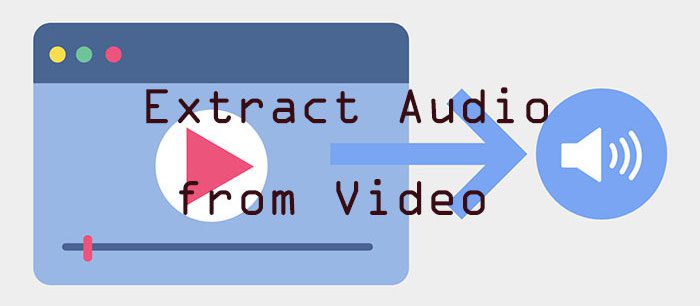
🎧 Handle Audio Like a Pro
FFmpeg treats audio with just as much care. You can:
- Strip audio from video
- Normalize volume levels
- Convert audio formats
- Extract podcast or voice clips
This is incredibly helpful for creators juggling both video and audio workflows.
💡 Add Watermarks or Branding at Scale
Branding tasks are repetitive, so FFmpeg is perfect here. You can:
- Add watermarks
- Overlay logos
- Apply branding to multiple files consistently
It’s predictable and repeatable – exactly what you want when processing dozens of videos.
⚙️ Batch Processing = Time Freedom
This is where FFmpeg becomes a true time-saver.
If you’ve ever had to export 50 clips manually, you know the pain. With FFmpeg, you can automate the process entirely. Set the rules once, and it will handle the rest.
For growing creators managing tons of files, this can save hours each week.
When FFmpeg Makes Sense (and When It Doesn’t)
Use FFmpeg if:
- You produce content regularly
- You publish to multiple platforms
- You deal with large files
- You want to batch tasks or automate repetitive work
Skip FFmpeg for now if:
- You only create content occasionally
- Your files are small and manageable
- You don’t need compression or format conversion yet
That’s totally fine. Just keep FFmpeg in your back pocket for when your workflow starts scaling up.
❓Frequently Asked Questions (FAQs)
Q: Is FFmpeg free for content creators?
A: Yes, it’s completely free and open-source, which is part of what makes it so powerful and popular.
Q: Do I need to code to use FFmpeg?
A: Not necessarily. While FFmpeg uses command-line tools, many user-friendly apps like HandBrake and OBS use FFmpeg in the background.
Q: Can FFmpeg ruin video quality?
A: No, not if used properly. FFmpeg allows you to control compression settings and preserve quality during conversion.
Q: Is FFmpeg a replacement for my video editor?
A: Nope. It’s a technical tool, not a creative one. It complements editors by handling the repetitive and logistical side of video work.
🧠 Final Thoughts: FFmpeg Is the Secret Tool for Scalable Video Creation
FFmpeg isn’t flashy, but it’s powerful. It’s not for storytelling, but it’s excellent for efficiency.
If you’re a content creator managing dozens (or hundreds) of files, juggling formats, or trying to post everywhere at once, FFmpeg can save you hours of manual work. It’s the kind of tool that quietly levels up your production game behind the scenes.
The more you create, the more you’ll appreciate what FFmpeg brings to the table.